
Fix Microsoft 365 Login
If you experience issues with your Microsoft 365 login like frequent requests to login again, the attached script may help.
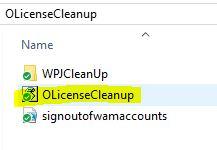
- Download the OLicenseCleanup.zip and extract it
- Close your Microsoft 365 applications like Outlook, Teams or Office
- Run the OLicenseCleanup.vbs VBScript file and ignore the other files
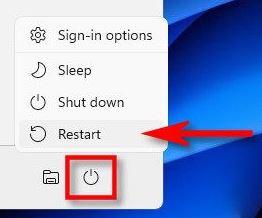
- Wait three minutes (a black terminal window may flash shortly) and restart your PC
- Now you need to login again without any issues
- Let us know if you still experience any issues so that we may troubleshoot further

