# Open Shared Mailbox
The shared mailbox appears in Outlook for Windows automatically but you need to open it manually on the web, smartphone or macOS.
##### **Web**
There are two options:
1. **Pin it:**
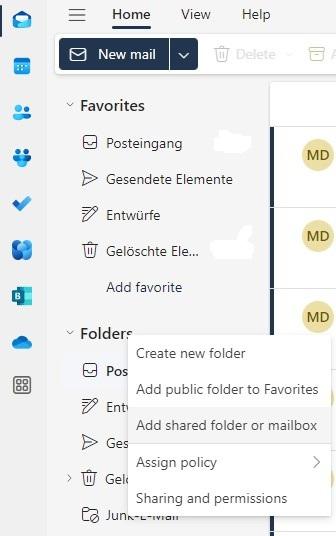
1. Right-click on **Folders** and select **Add shared folder or mailbox**.
2. [](https://wiki.pcspezialist-hannover.de/uploads/images/gallery/2024-07/owa-shared-1.jpg)
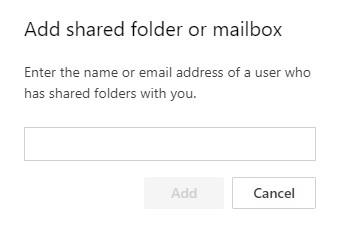
3. Enter the name of the shared mailbox.
4. [](https://wiki.pcspezialist-hannover.de/uploads/images/gallery/2024-07/owa-shared-2.jpg)
5. Click on **Add**.
2. **Open it in a new tab:**
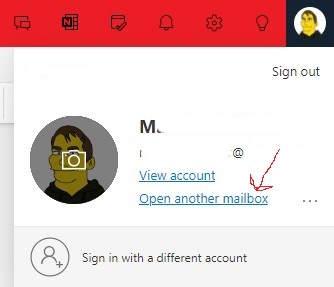
1. Click on your picture in the upper right and select **Open another mailbox**.
2. [](https://wiki.pcspezialist-hannover.de/uploads/images/gallery/2024-07/owa-shared-3.jpg)
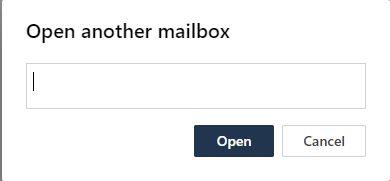
3. Enter the name of the shared mailbox.
4. [](https://wiki.pcspezialist-hannover.de/uploads/images/gallery/2024-07/owa-shared-4.jpg)
5. Click on **Open**.
##### **Smartphone**
- Click on your picture on the upper left
- [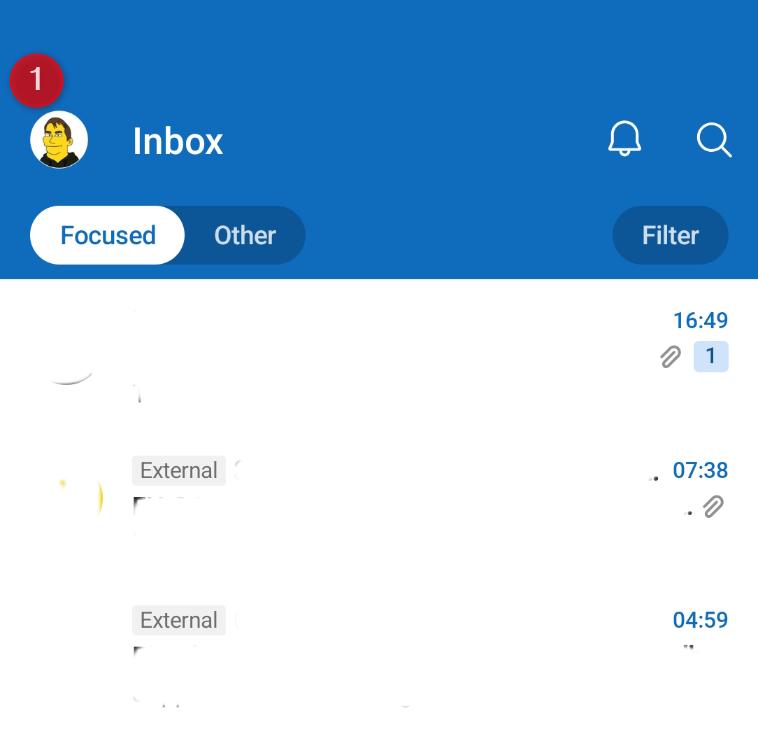](https://wiki.pcspezialist-hannover.de/uploads/images/gallery/2026-04/microsoft-365-outlook-shared-mailbox-android-1.jpg)
- Click on **+** in the left menu that just openend and choose **Add shared mailbox**
- [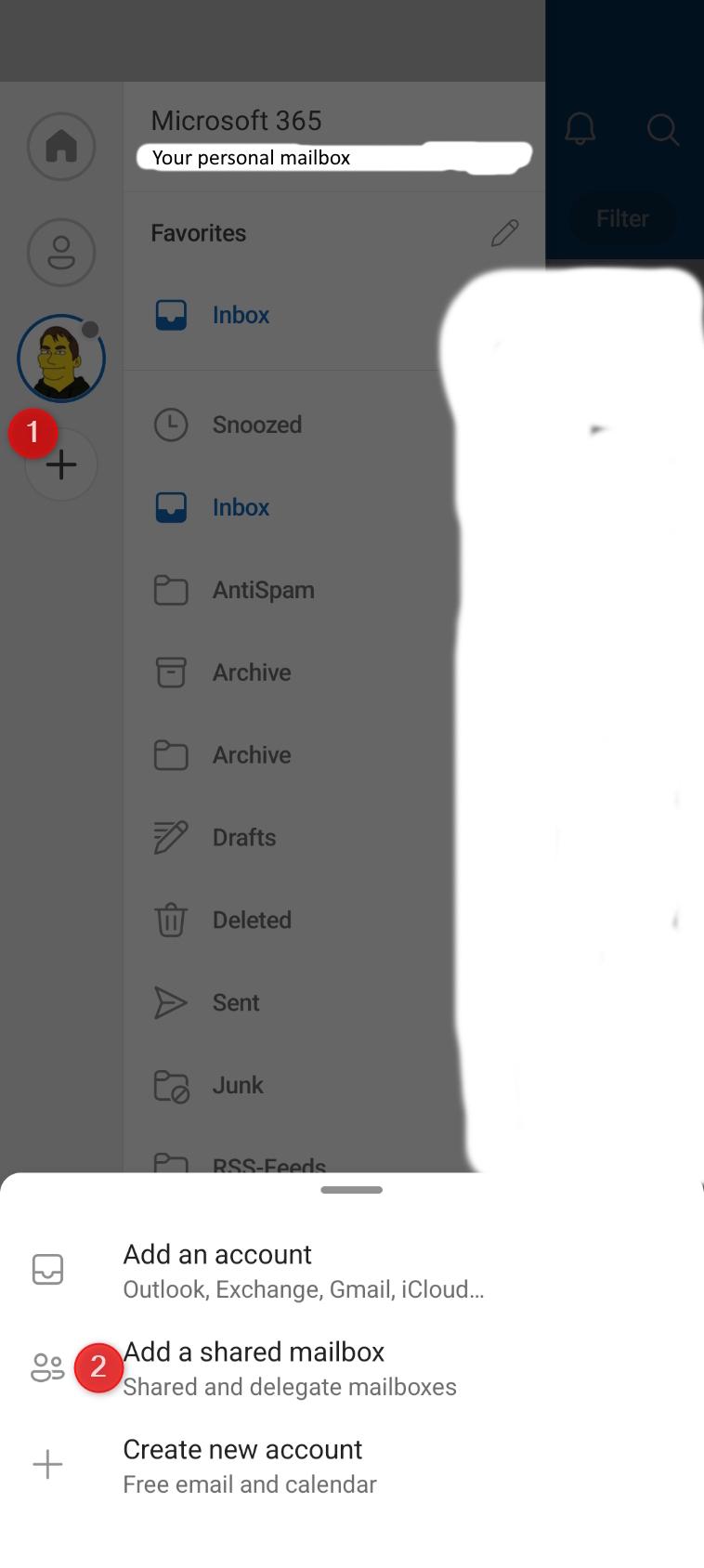](https://wiki.pcspezialist-hannover.de/uploads/images/gallery/2026-04/microsoft-365-outlook-shared-mailbox-android-2.jpg)
- Enter the shared mailbox you would like to add and click **Continue** (authentification is handled by your personal account)
- [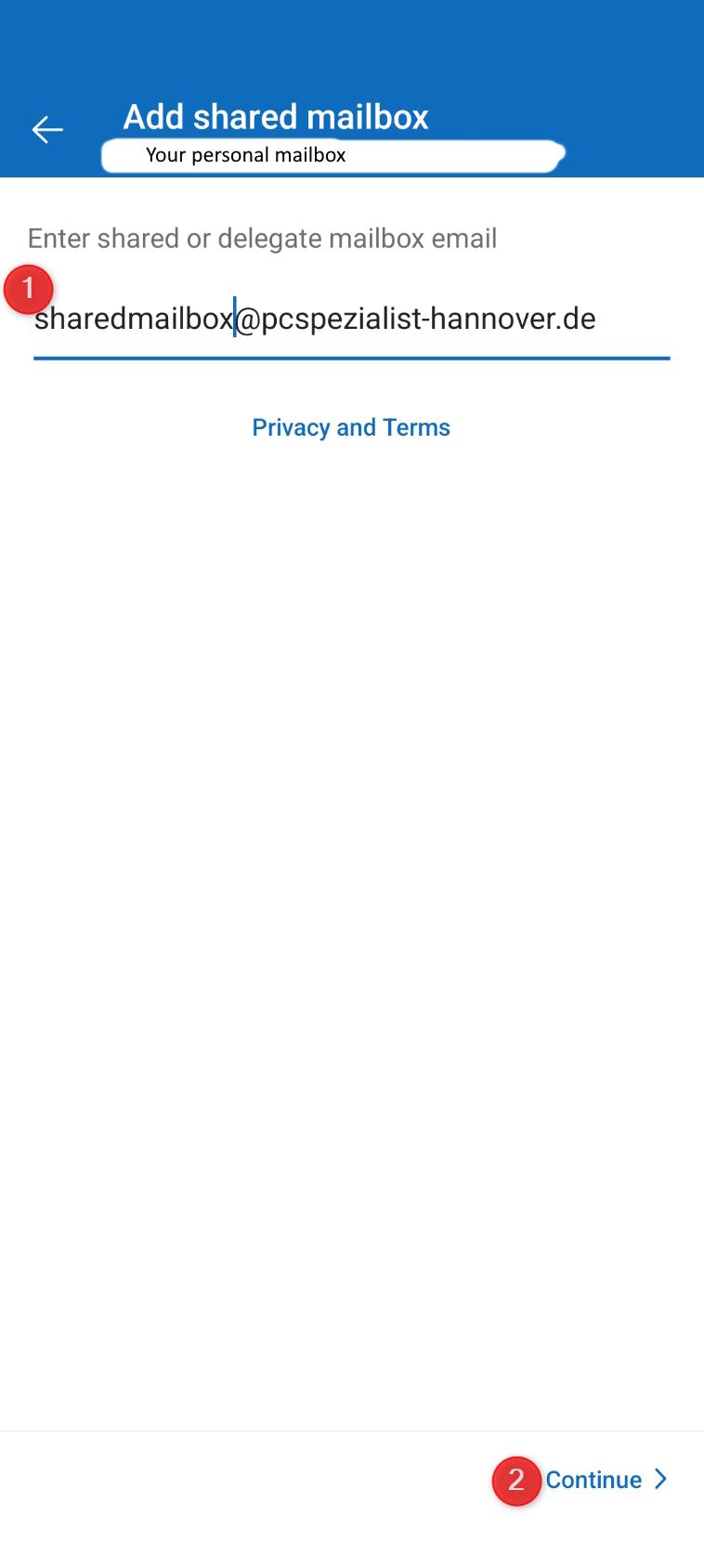](https://wiki.pcspezialist-hannover.de/uploads/images/gallery/2026-04/microsoft-365-outlook-shared-mailbox-android-3.jpg)
- Nice! 👍
##### **macOS**
File > Open > Shared Mailbox