# Outlook
# Marking External E-mails
Outlook can mark emails from external sources with a note to make it easier to recognise spam and phishing threats.
It will look like this:
- **Outlook for Windows**
- [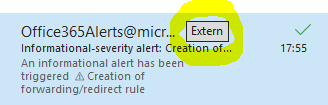](https://wiki.pcspezialist-hannover.de/uploads/images/gallery/2024-11/externalcallouts-outlook.PNG)
- **Outlook on the Web**
- [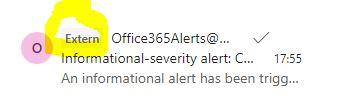](https://wiki.pcspezialist-hannover.de/uploads/images/gallery/2024-11/externalcallouts-owa.JPG)
- **Android**
- [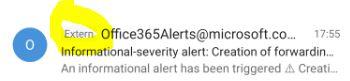](https://wiki.pcspezialist-hannover.de/uploads/images/gallery/2024-11/externalcallouts-android.JPG)
However, please do not rely completely on this labelling. For one thing, the technology can also make mistakes and it is always possible to take over a colleague's account.
If you would like this labelling, please contact us.
# Report Phishing and Junk
Please inform us about phishing or junk.
This is how it works:
- **Outlook for Windows**
- [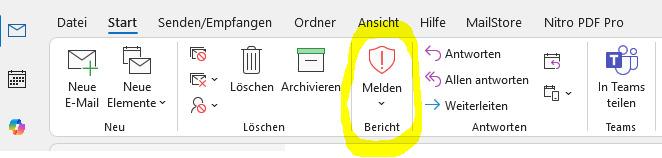](https://wiki.pcspezialist-hannover.de/uploads/images/gallery/2024-11/melden-outlook.jpg)
- **Outlook on the Web**
- [](https://wiki.pcspezialist-hannover.de/uploads/images/gallery/2024-11/melden-owa.JPG)
- **Android**
- [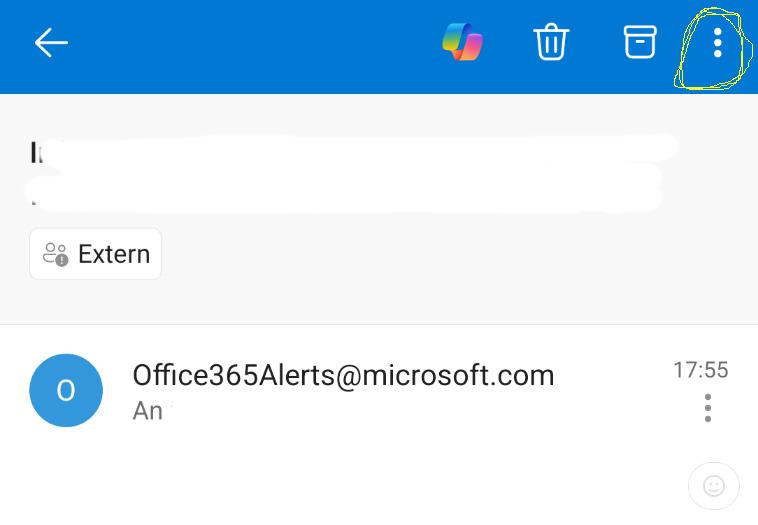](https://wiki.pcspezialist-hannover.de/uploads/images/gallery/2024-11/melden-android.jpg)
**Important:** If there is a targeted attack, please also inform us by telephone and e-mail. Targeted cases include, for example, addressing someone by their real name, referring to colleagues or special knowledge (e.g. from a post on social media, studying the homepage or an overheard conversation).
# Create Contact List
- Open the **People** tab and click on **New contact list**.
- [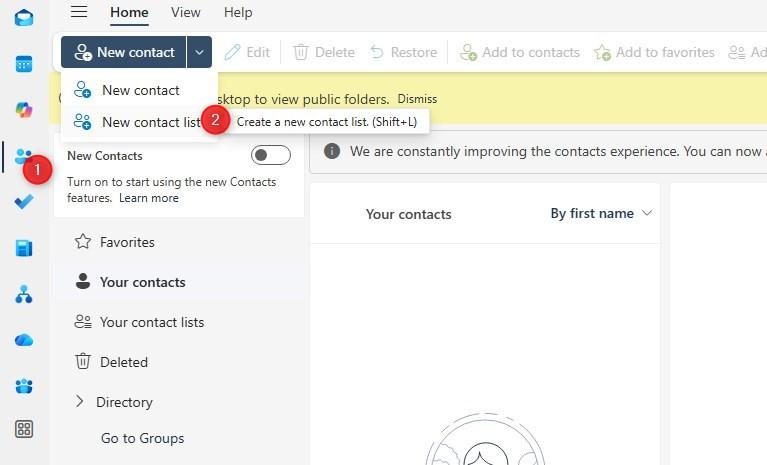](https://wiki.pcspezialist-hannover.de/uploads/images/gallery/2026-01/contactlist-1.jpg)
- Now you can give a name, add email addresses and an optional description.
- [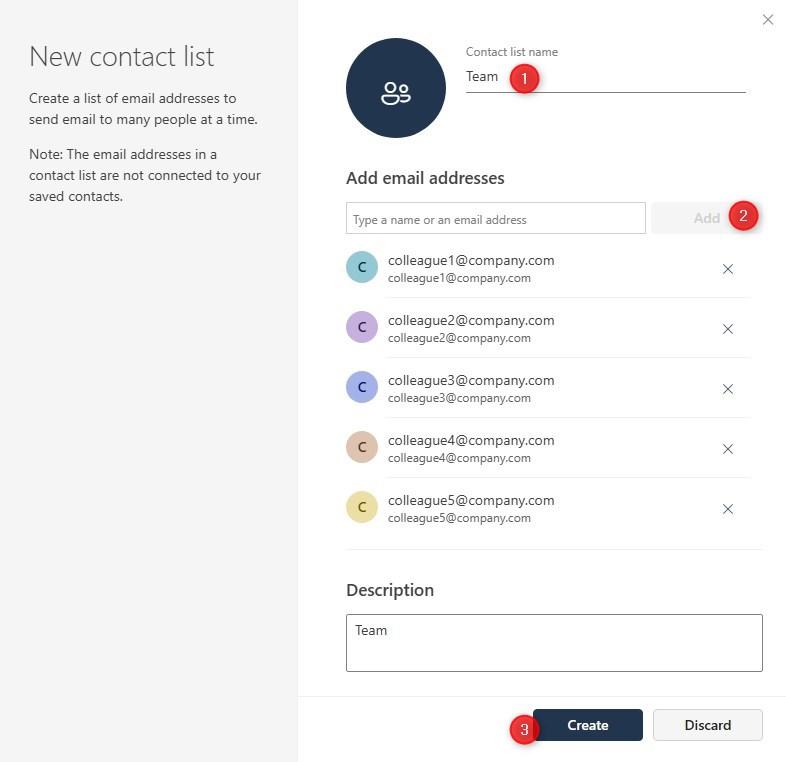](https://wiki.pcspezialist-hannover.de/uploads/images/gallery/2026-01/contactlist-2.jpg)
- After clicking on **Create**, you may use this contact list for sending emails or inviting them to appointments.
- A popular use case is a list with the colleagues you often work with so you can email them easily or add them to calendar invitations.